






Process Modelling
|
















Mission
People make the difference.

Vision
Help people improve in performance & provide flexible solutions with experience and passion.

Goals
Improved process installation with well trained operational employees.
Some of the sectors we are specialized in

Oil & Gas

Chemicals

Power

Pharmaceuticals

Water Treatment

Waste Treatment

Academics

Biomass

Consumer

Environmental
“Mobatec understands both the requirements of high fidelity process modelling but also all aspects of a good look and feel, creating user friendliness. This combination is quite rare as most people only can handle the hardcore thinking, or the user friendliness. Thanks to these positive experiences I can recommend everybody looking for anything in the field of process modelling, simulators, and advanced process control to at least have a chat with Mobatec team to see whether they can help out.“
John Boertjes
Process Manager at INEOS
“We hired Mobatec to create simulation models of all the units of the “Oefenfabriek” (Practise Factory) at STC in Brielle. The results exceeded our expectations, for the models worked better than the real plants and the reliability and maintainability proved to be at an excellent level. Working with Mobatec was inspiring and succesfull. Their personal skills and working attitude resulted in a long lasting relationship.“
Ton Knegt
Area Project Manager at Shell

“It was a real pleasure working with Mobatec Modeller during my studies and further work. Mobatec’s dedicated assistance was really helpful in looking for the dynamic process modelling solutions that my company required. I think Mobatec developed an excellent process modelling tool that can be adjusted to any kind of dynamic process with the required level of accuracy.“
Raul Velasco
Process Development Engineer at SABIC
“I am very grateful that Mobatec process modelling team assisted to convert BioTorTech’s process knowhow and expertise into well defined unit operations and mass&energy balance’s. TOP VALUE“
George van Bommel
Energy Systems & Management consultant at Royal Haskoning
Operator Training Simulator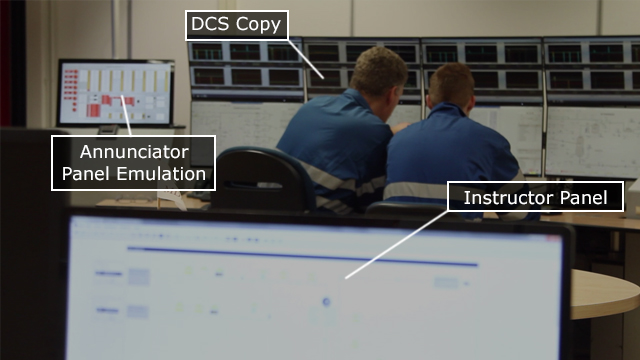

|
Field Operations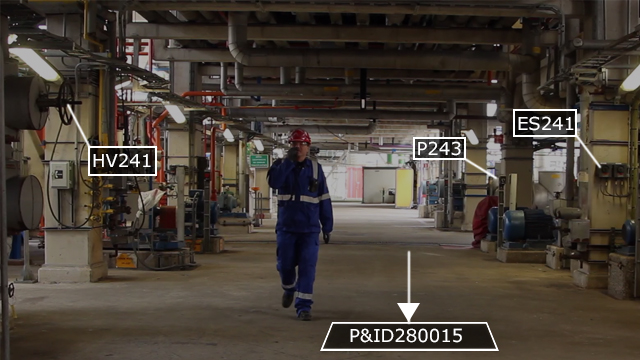
|
Immersive Operator Training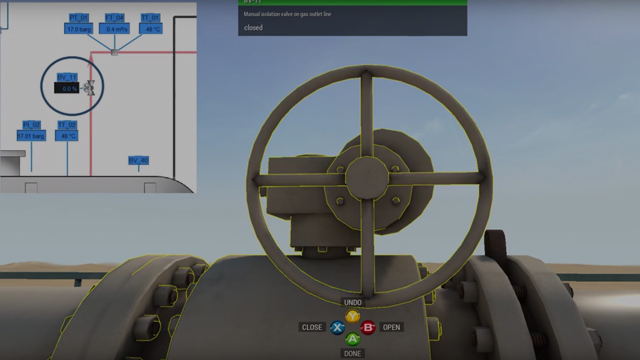
|
Contact Us
Get in touch. We’d love to hear from you.
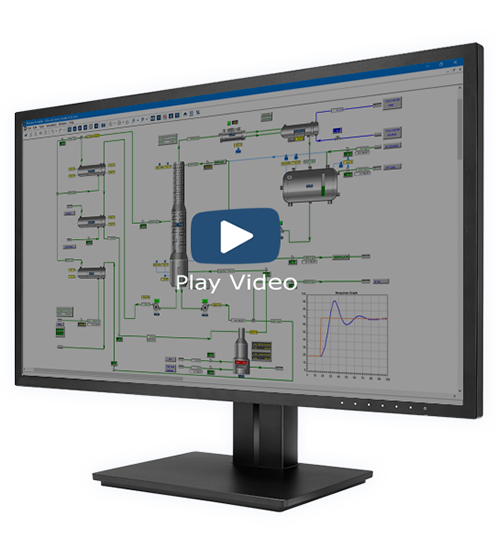
See Mobatec Modeller in action
We’ll be happy to show you a number of Mobatec Modeller problem solving features in the area of process modelling (and more).
Newsletter
Each sign up gets a free demo of Mobatec Modeller.